Healthcare AP technology decisions look different than the same decisions in other industries. You can't just find the highest-rated AP automation tool on G2, schedule a demo, and sign a contract. You need HIPAA Business Associate Agreement (BAA) coverage. You need IT security approval, which at most health systems involves a formal vendor risk assessment that takes weeks or months. You need ERP compatibility, and not the "supports all ERPs" kind. You need actual deep integration with Infor CloudSuite FSM, Workday Financial Management, or PeopleSoft Financials, depending on what your organization uses. And you need someone in your IT or legal department who has the bandwidth to handle the procurement process on top of everything else they're doing.
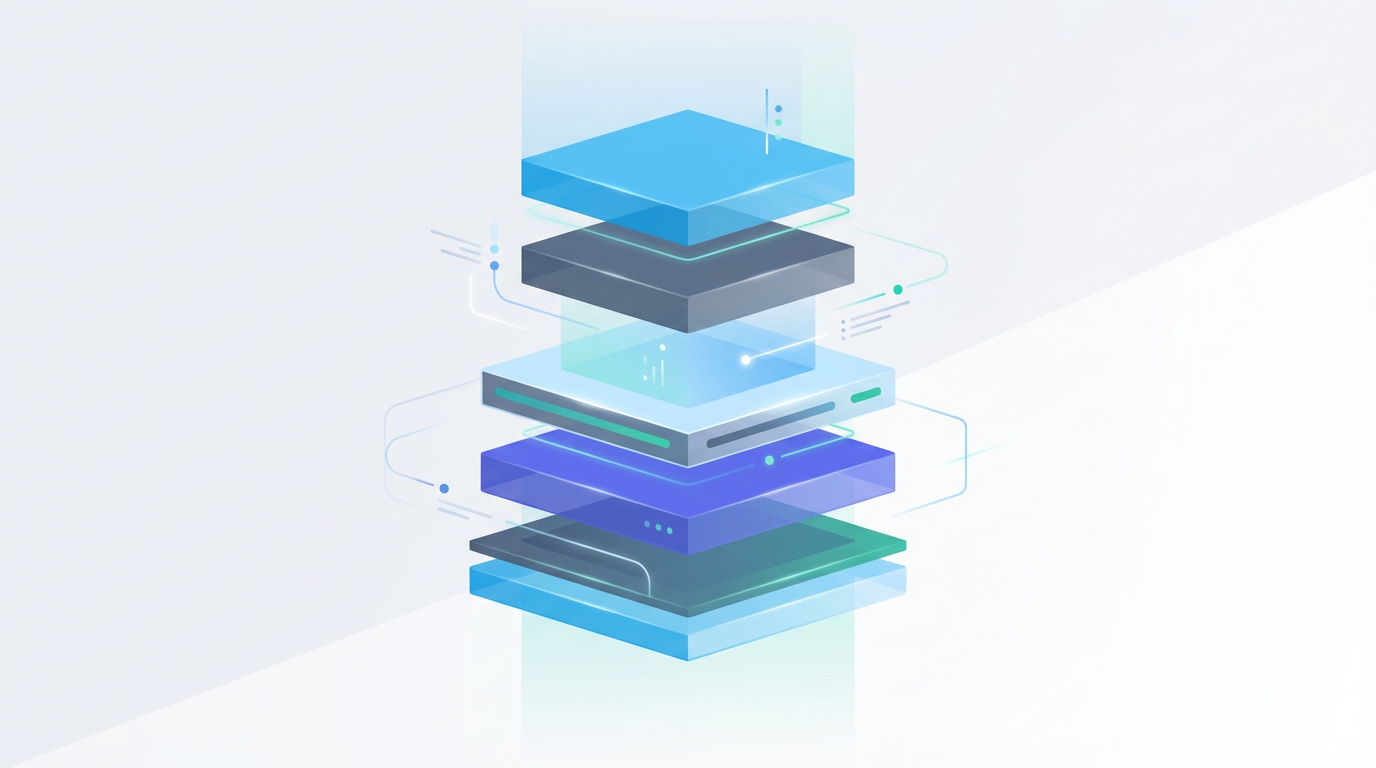
This post provides a layer-by-layer guide to the modern healthcare AP technology stack. It covers what each layer does, what healthcare-specific requirements apply to it, and the questions worth asking vendors before you go deep in an evaluation.
Layer 1: The ERP (Your System of Record)#
The Enterprise Resource Planning system is the foundation of every other layer. Every AP technology decision has to start with a clear-eyed assessment of your ERP: what it is, what version you're on, whether you're in a migration, and what integration capabilities it exposes.
Healthcare's ERP landscape is distinct. Infor CloudSuite FSM is prevalent at mid-to-large health systems, particularly those that came from Infor Lawson implementations. Workday Financial Management is the dominant choice for new implementations and migrations over the last five years. Oracle PeopleSoft Financials remains in place at organizations that haven't yet migrated from legacy implementations. Each has different API architectures, different data models, and different approaches to vendor and invoice data.
The critical questions for any AP technology layer are: how does it connect to your specific ERP, and how deep is that integration?
"We integrate with your ERP" can mean anything from a real-time API integration that queries live invoice and vendor data to a nightly flat file export that the tool processes the next morning. For vendor inquiry handling, where the whole value is giving vendors accurate, current status information, the difference between real-time data access and a 24-hour lag is the difference between a useful tool and an unreliable one.
Ask specifically: what data does the integration read, and what is the latency? Can it query invoice status, payment date, check or ACH number, hold reason, and vendor details in real time? Or does it rely on exports, syncs, or data warehouses with replication delays?
Layer 2: Email Infrastructure (Where Vendor Communications Live)#
For most healthcare organizations, vendor communications arrive through Microsoft 365, specifically into a shared AP mailbox like ap@healthsystem.com. This is the entry point for every vendor inquiry, statement, and escalation that the AP team handles.
The email infrastructure layer is where the raw communications exist. Any AP inquiry management technology needs to connect to this layer to do its job. That means reading incoming emails, parsing their content, and facilitating responses.
Microsoft 365 provides a well-documented API surface (Microsoft Graph API) for accessing mailbox data. The healthcare-specific consideration is that any application connecting to a health system's Microsoft 365 environment will require IT and security approval, a vendor risk assessment, and probably a formal data processing agreement alongside the BAA.
Questions to ask: Does the tool connect directly to our Microsoft 365 mailbox? What permissions does it require, and what does it do with those permissions? Is it a read-only connection (it reads emails but doesn't modify the mailbox) or read-write? What data is stored outside our Microsoft 365 environment?
Layer 3: The Automation Layer (Classification, Extraction, Response Generation)#
This is where the actual inquiry handling intelligence lives. The layer reads incoming vendor emails, parses what's being asked, retrieves relevant ERP data, and generates draft responses. As discussed in our post on AI in healthcare AP, this layer increasingly involves AI for the classification and extraction steps.
It's worth being clear about where AI fits versus where Robotic Process Automation (RPA) already does the job well. RPA earns its keep on structured, rule-based work where the input format is consistent and the steps don't change. Three-way matching invoices against POs and goods receipts. Posting approved vouchers. Generating EFT files for payment runs. Exporting payment registers to the bank. That's exactly the shape of work RPA was designed for, and healthcare AP shops running mature RPA implementations on Infor CloudSuite FSM, Workday, or PeopleSoft are getting real value out of it. Vendor email volume is a different shape entirely. Inbound vendor email is unstructured prose. The asks vary across invoice status, payment date, remittance request, dispute, and statement reconciliation, often inside the same thread. Attachments need OCR and document understanding before any rule can fire. The right response depends on context that changes message to message. RPA can move data reliably when the path is fixed. The vendor inquiry layer needs language model classification, document extraction, and contextual draft generation. Different work, different tool.
The healthcare-specific requirements for this layer are substantial.
The first is HIPAA compliance and a BAA. The automation layer processes the content of vendor emails, which may include PHI-adjacent invoice information, so a BAA is required. Many automation vendors, particularly general-purpose tools that haven't done healthcare work before, have never negotiated a BAA and will either not offer one or produce a BAA so narrow that it doesn't cover the actual data flows.
The second is healthcare domain understanding. As argued throughout this series, an automation tool that doesn't understand GPO pricing, multi-entity healthcare vendor structures, and healthcare ERP data models will generate more exceptions and false positives than a healthcare-specific tool. The automation layer's effectiveness is directly proportional to its healthcare domain knowledge.
The third is human-in-the-loop design. For healthcare AP, automation that drafts responses for human review is operationally appropriate and appropriate from a liability and accuracy standpoint. Automation that sends responses autonomously, without human review, is a risk posture that most healthcare legal and compliance teams will not accept. Evaluate whether the tool is designed with this in mind, or whether human review is an afterthought.
The fourth is audit trail completeness. As covered in the previous post in this series, the automation layer needs to maintain a complete, queryable log of every action: emails received, classifications assigned, ERP queries run, drafts generated, and communications sent. This is both a compliance requirement and an operational management tool.
A Note on Vendor Self-Service Alternatives in Healthcare#
Before evaluating automation layer vendors, most healthcare AP teams have already considered the main vendor self-service alternatives: vendor portals. The portal proposition, letting vendors check invoice status themselves and stop emailing your AP team, is appealing but has a documented adoption problem in healthcare.
As detailed in the vendor portals post earlier in this series, healthcare invoice portal adoption typically lands at 15-25%, with the lowest adoption among the large distributors who generate the most inquiry volume. Evaluating vendor self-service alternatives in healthcare tends to produce one conclusion rather than a binary choice: portals serve the 15-25% of vendors who adopt them; an email-first automation layer is needed for the remaining 75-85% who will continue to email regardless.
The automation layer described here is not a self-service alternative. It's the system that handles vendors where they already communicate, in email, with the same ERP data access and response quality a portal would provide, but without requiring vendors to change their behavior. For healthcare organizations that already have a portal and are frustrated by its coverage, this layer is additive, not competitive.
Layer 4: The Compliance Layer (Logging, Access Controls, Encryption)#
This layer doesn't correspond to a single product. It's a set of capabilities that should be present across the stack. Healthcare organizations handle data under more stringent requirements than most industries, and any technology operating in a healthcare AP environment needs to demonstrate compliance posture across several dimensions.
Encryption is the baseline. Data in transit and at rest should be encrypted to healthcare-standard levels. For cloud-hosted solutions, this typically means Azure or AWS environments with healthcare compliance configurations, not generic cloud hosting.
Access controls come next. Role-based access should limit what each user can see and do, with AP reps scoped to the vendors and inquiry types relevant to their roles, administrators granted audit log access, and any access changes logged.
Audit logging needs to be complete and tamper-evident across user actions, system actions, and external communications. Logs should be exportable in a format auditors can review, with retention policies aligned with healthcare records retention requirements.
SOC 2 Type II certification is the gating credential. For most health system IT and security teams, SOC 2 Type II is the baseline requirement for any cloud vendor handling organizational data. An AP automation tool without SOC 2 Type II will not pass a standard healthcare vendor risk assessment.
Layer 5: Analytics (Visibility Into What's Actually Happening)#
The final layer is visibility. The reporting and analytics capabilities that give AP leaders the KPI data described earlier in this series. Average response time, backlog age, inquiry type distribution, escalation rate, early-pay discount capture. These metrics should live somewhere queryable, not buried in email archives and ERP reports that require manual assembly.
Healthcare-specific considerations for this layer: the analytics tool needs to operate on the same compliant infrastructure as the rest of the stack. PHI-adjacent data shouldn't flow into general-purpose business intelligence tools that don't have healthcare compliance configurations.
The Build-vs-Buy Decision#
Many healthcare organizations, particularly those with strong IT organizations, will consider building some of these capabilities internally rather than purchasing them. This is a legitimate option, but the decision should be made with clear eyes about total cost of ownership.
Building a custom integration between a healthcare ERP and a shared AP mailbox, including AI classification, ERP lookup, response drafting, audit logging, and HIPAA-compliant infrastructure, requires healthcare domain expertise in AI training data, ERP integration development, security engineering, and ongoing maintenance as ERP versions change and email infrastructure evolves. The build cost is typically underestimated, and the ongoing maintenance cost is almost always underestimated.
The buy side requires finding a vendor with genuine healthcare-specific depth, as described throughout this series. The feature list matters less than integration depth and healthcare domain expertise. A tool built specifically for healthcare AP, with native integrations to your ERP and healthcare compliance posture baked into the design, will require significantly less configuration, deliver better results, and stay current with healthcare-specific requirements without IT intervention.
Evaluating Vendors#
When evaluating AP technology vendors in a healthcare context, the useful questions are:
| Dimension | Questions to Ask |
|---|---|
| ERP Integration | Which ERPs do you support natively? What is the integration architecture (API, flat file, or something else)? What is the data latency? |
| HIPAA Compliance | Do you have a BAA? Have you executed BAAs with other healthcare customers? Who in your organization owns HIPAA compliance? |
| SOC 2 | Do you have SOC 2 Type II certification? For which services? When was the most recent audit? |
| Healthcare Domain | Do you support GPO pricing workflows? How do you handle multi-entity healthcare vendors? What ERP-specific features does your healthcare implementation include? |
| Audit Trail | What do you log? How long are logs retained? Can logs be exported for audit purposes? |
| Implementation | What does a typical implementation look like? What IT resources does it require from us? What is the expected time to first value? |
The answers to these questions separate vendors who have done healthcare before from those for whom you would be the first or one of the first healthcare customers. Both can work, but the risk and ramp-up time profiles are very different.
Technology in healthcare AP is getting better, faster. The tools available today are substantially more capable than what existed five years ago. The goal of this evaluation framework isn't to make the decision harder. It's to make sure the right tool gets selected for the right reasons, rather than the most polished demo or the lowest initial price tag.
For the full complement of vendor self-service alternatives in healthcare evaluated against actual adoption data and inquiry volume impact, see why vendor portals failed healthcare AP. For the AI layer specifically, including how classification, extraction, and response generation work in practice, see AI in healthcare AP.
See the Full Stack in Action
Auxtri is purpose-built for healthcare AP stack requirements. Native Infor CloudSuite, Workday, and PeopleSoft integrations, HIPAA compliance, SOC 2 controls, and a complete audit trail are built in. Request a demo to see how each layer of the stack works together for a healthcare AP team your size.